How to save on cybersecurity without losing protection
How to save on cybersecurity and not open the door to attacks? The answer is not to buy the cheapest solutions or disable protection. Savings come when you understand the real risks, eliminate unnecessary tools, establish basic hygiene, and educate people. In this article, we will discuss where expenses can truly be reduced and where savings are dangerous. This material is suitable for small businesses, individual entrepreneurs, teams without a dedicated information security department, and managers who want to maximize protection within a reasonable budget.
Cybersecurity is often perceived as an expensive set of complex systems: antivirus software, firewalls, scanners, SIEM, DLP, auditors, pentests, and round-the-clock monitoring. But in practice, a significant portion of incidents starts with simple issues: weak passwords, lack of backups, uninstalled updates, careless access configurations, and phishing attempts. Therefore, the most cost-effective approach is to first address basic risks and then invest specifically in tools that are suitable for your organization.

Why savings on cybersecurity start with risk assessment
It's not reasonable to reduce expenses if you don't understand what exactly you are protecting. For a small company, a landing page, CRM, email, and accounting may be more critical than complex internal infrastructure. For an online store, payment processes, personal customer data, and access to the admin panel are essential. For a manufacturing company, system availability, remote access for engineers, and protection against ransomware are key.
Start not with purchasing a product, but with a short inventory assessment. It helps you see which assets are truly important, where data is stored, and who has access to them. After this, it will be easier to understand which measures will provide the maximum effect for minimal cost.
What to assess first
Create a list of assets and processes:
- corporate email;
- website and domains;
- CRM, ERP, accounting systems;
- cloud storage and documents;
- employee laptops;
- servers, virtual machines, and databases;
- accounts at banks, advertising accounts, and marketplaces;
- backups;
- remote access and VPN;
- contractors with access to your systems.
Then ask three questions for each item:
- What will happen if access is lost for one day?
- What will happen if data is stolen or altered?
- Who is responsible for recovery, and where are the backups stored?
If there are no answers, this is not a reason to immediately buy an expensive solution. It's a signal that processes need to be organized. Often, organization reduces risks more cheaply than new licenses.
Where you can safely cut costs
You can save on data protection if you reduce duplication, automate routines, and utilize built-in features of already purchased services. Below are areas where unnecessary expenses often hide.
Remove duplicative tools
Many companies historically accumulate services with overlapping functionalities. For example, one tool manages passwords, another stores secrets in the browser, and a third is used only by part of the team. Or a company pays for several antivirus solutions, but none are set up centrally.
Conduct an inventory of licenses:
- who is actually using the service;
- what features are included in the plan;
- which features overlap with other products;
- are there free or already paid equivalents;
- can you switch to annual payment with a discount only after confirming the usefulness.
The main thing is not to remove protection blindly. First, define what task the tool performs. Then find out what will cover that need after abandoning it.
Use built-in features of cloud platforms
Microsoft 365, Google Workspace, corporate email services, cloud hosting, and CRMs often already include useful security settings. Companies pay for these but do not use them.
Check if the following features are available to you:
- multi-factor authentication;
- conditional access based on geography or devices;
- audit logs of account accesses;
- admin action logs;
- anti-phishing protection for email;
- restrictions on forwarding emails externally;
- device management;
- password policies;
- alerts for suspicious logins.
If these features are included in the current plan, setting them up could provide a noticeable increase in security without new purchases. Sometimes, just one working day of an administrator suffices to close the most obvious gaps.
Transition to free solutions consciously
Free and open-source tools can help save on cybersecurity, but they are not entirely free. They still require a skilled professional's time: to install, configure, update, check logs, and respond to events.
Open-source is well-suited for:
- asset inventory;
- vulnerability scanning in a test environment;
- centralized log collection in a small infrastructure;
- configuration monitoring;
- team training;
- basic availability monitoring.
But if the company lacks a person skilled in maintaining such tools, the savings may disappear. In this case, it might be more cost-effective to purchase a simple commercial service with support and clear configuration.
Don’t buy “corporate maximum” too soon
Small businesses don’t always need a heavy set of enterprise solutions. If there are 10-30 people in a company, it's more important to first configure access, MFA, backups, updates, email, and training. Expensive monitoring systems do not compensate for a lack of basic discipline.
A good principle is to buy the next level of protection only after the current level is operating stably. For example, there’s no point in implementing a complex leak prevention system if employees share common passwords and work from personal emails.
What to avoid cutting costs on
Some measures may seem simple and tedious, but they significantly reduce the risk of the most expensive incidents. They shouldn't be canceled for short-term savings.
Backups
Backing up is one of the most worthwhile investments in information security. It helps recover from ransomware, employee errors, cloud service failures, or accidental data deletion.
A reliable scheme usually includes the 3-2-1 rule:
- 3 copies of data;
- 2 different types of storage;
- 1 copy stored separately from the main infrastructure.
It’s important not just to make copies but also to verify recovery. An unchecked backup is a hope, not protection. At least once a quarter, restore a test file, database, or virtual machine to ensure the data can be read.
Multi-factor authentication
MFA is one of the cheapest ways to protect accounts. Even if a password is stolen through phishing or a breach, it will be harder for an attacker to log in without the second factor.
Enable multi-factor authentication primarily for:
- administrators;
- email;
- cloud storage;
- banking services;
- CRMs and systems with personal data;
- hosting and domain control panels;
- remote access.
It’s better to use authenticator apps, hardware keys, or built-in passkeys than SMS. SMS is convenient but less resilient to certain attacks.
Updates and vulnerability management
Many attacks exploit known vulnerabilities for which patches are already available. Therefore, regular updates are often more effective than an expensive defensive product installed over an old and vulnerable system.
Create a simple order:
- critical updates are installed as quickly as possible;
- regular updates follow a schedule;
- servers are updated after backups;
- changes are logged;
- outdated software is retired.
If you use CMS, plugins, and themes, pay particular attention to them. Sites are often hacked not due to complex attacks but because of old extensions and weak administrator passwords.
Employee training
People remain a crucial part of protection. Training doesn’t have to be expensive. Short regular sessions are often more valuable than one large course once a year.
Explain to employees:
- how to recognize a phishing email;
- why they shouldn't reuse passwords;
- what to do with a suspicious attachment;
- whom to report an incident to;
- why they shouldn't share confirmation codes;
- how to work securely from home and while traveling.
Training should be practical. Show real examples of emails, fake login pages, and fraudulent messages. The closer the examples are to the team’s work, the higher the effectiveness.
Step-by-step plan to save on cybersecurity
Below is a short plan that helps reduce costs without chaotic decisions. It can be used as a checklist for small businesses or internal teams.
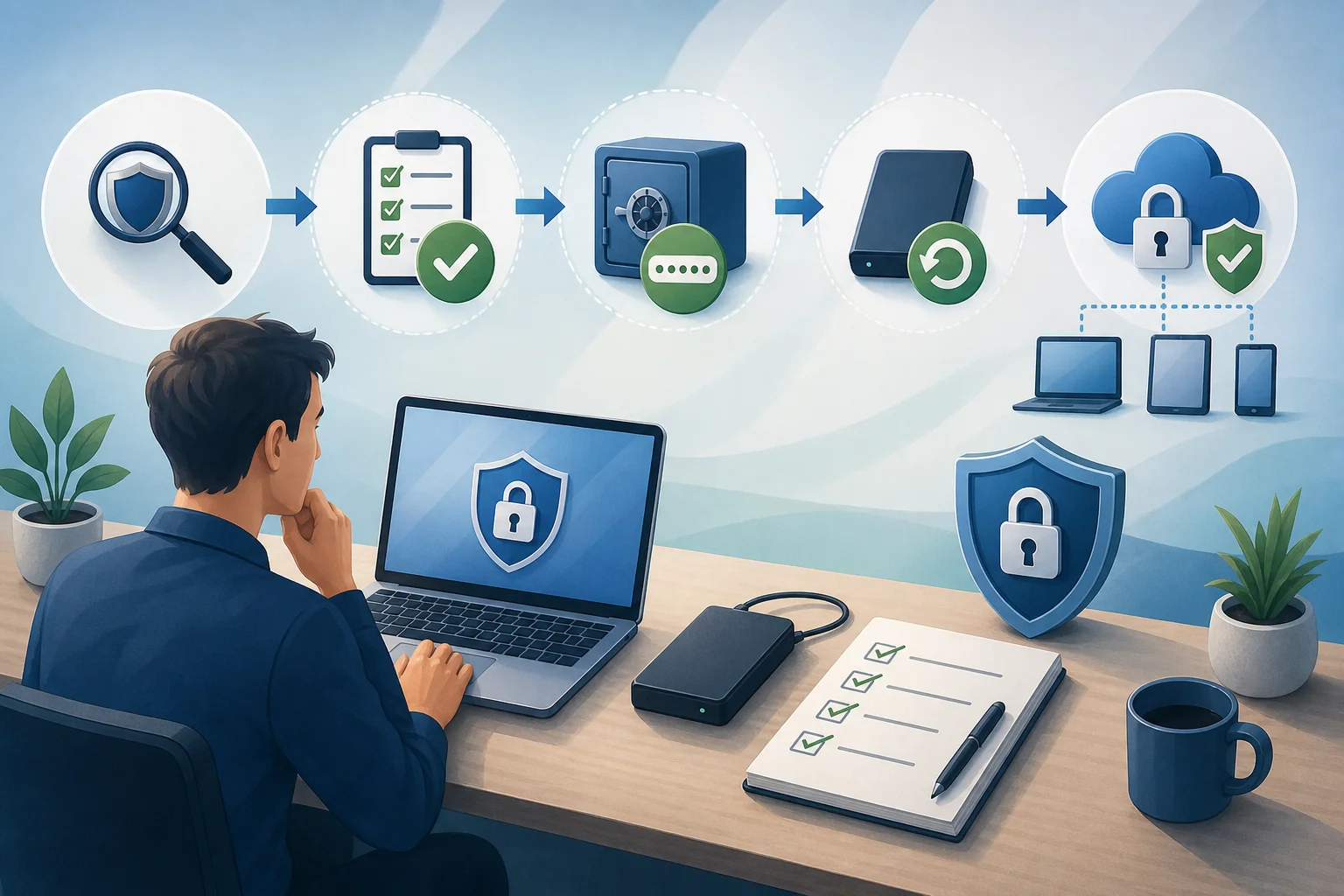
Step 1. Conduct an inventory
List all services, devices, domains, servers, clouds, and critical accounts. Don’t strive to create the perfect document in one day. Start with a table: asset name, owner, importance level, who has access, and where the backup is located.
Step 2. Categorize assets by criticality
Use three levels:
- high — downtime or leakage leads to significant damage;
- medium — impacts workflow but workarounds exist;
- low — doesn't contain critical data and is easily recoverable.
The budget should prioritize high-criticality assets. This helps avoid spending on less important systems while essential assets are weakly protected.
Step 3. Enable basic protection in existing services
Check security settings in email, cloud, CRM, hosting, and banking accounts. Enable MFA, login alerts, limit admin permissions, and event logs. Often this doesn’t require additional licenses.
Step 4. Remove unnecessary access rights
The principle of least privilege is simple: a person should only have access necessary for their work. If an employee has transitioned to another position or left the company, access rights should be changed or disabled.
Conduct an audit of:
- former employees;
- contractors;
- shared accounts;
- unnecessary administrators;
- outdated API keys;
- access to domains and hosting.
This is almost free but significantly reduces risk.
Step 5. Configure backups
Determine what data needs to be saved, how often, and where. Different systems require different intervals. For example, an online store’s order database may require frequent backups, while document archives require less frequent updates.
Assign a responsible person and add recovery checks to the calendar.
Step 6. Reduce and optimize licenses
After establishing the basics, return to expenses. Look for which services are unused, which plans are excessive, and which can be consolidated. Sometimes, it’s more advantageous to retain fewer products but configure them effectively.
Step 7. Determine what to outsource
Not everything needs to be done in-house. If there’s no security expert on staff, you can outsource some tasks to a contractor: settings audits, website checks, backup configurations, incident response. But choose targeted services with clear results rather than an abstract “security suite” with no criteria.
Comparison of cost-reduction methods
The table will help quickly choose measures that provide a good balance between cost and benefit.
| Method | Potential Savings | Risk with Mismanagement | When to Apply |
|---|---|---|---|
| License audit | High | May disable a necessary function | When many services have accumulated |
| Enabling MFA | High in effect | Low, if backup login methods are configured | Almost always |
| Open-source tools | Medium | Requires skills for support | If there's a technical specialist |
| Outsourcing certain tasks | Medium | Dependency on contractor | If there's no internal expertise |
| Employee training | High in effect | Low | For all teams |
| Forgoing backups | Dangerous "savings" | Very high | Never apply |
| Replacing all solutions with the cheapest | Unpredictable | High | Only after testing |
The table indicates that it is most advantageous to start with measures that reduce the likelihood of common incidents. These are access controls, MFA, backups, updates, and training.
How to optimize the budget of small businesses
Small businesses often cannot maintain a full-fledged information security department. This is normal. But even a small team can establish reasonable protection if they allocate the budget according to priorities.
Minimum set for a small company
For a team of up to 20-30 people, the following minimum is typically needed:
- corporate email with MFA;
- password manager for work accounts;
- backup of critical data;
- updated work devices;
- basic endpoint protection;
- administrative rights limitations;
- secured remote access;
- procedures for termination and access issuance;
- brief training on phishing;
- incident contact plan.
This set does not cover all possible threats. However, it protects against many typical problems and creates a foundation for future growth.
How to distribute funds by priority
If the budget is limited, do not spread it thinly. First, invest in what protects critical accounts and data. A suggested order:
- Backups and recovery.
- MFA for all important services.
- Password manager and discontinuation of shared passwords.
- Updates for devices, servers, and CMS.
- Email protection against phishing.
- Employee training.
- Periodic external audits of settings.
- Additional monitoring tools.
This sequence is not universal but helps avoid the common mistake of purchasing expensive monitoring when recovering data post-failure is still impossible.
How to save on remote work protection
Remote and hybrid work expands the attack surface. Employees connect from home, cafes, coworking spaces, and while traveling. Here, it’s important not to prohibit everything but to make a secure process convenient.
Set up secure access
For remote access, use:
- MFA;
- separate work accounts;
- VPN or secured access channels if needed for internal systems;
- prohibition of direct access to admin panels from the internet;
- login logging;
- restriction of rights by roles.
If all work is done in cloud services, a classic VPN may not be needed. Sometimes, properly configuring MFA, conditional access, and device management is sufficient. This is another example where assessing architecture helps avoid unnecessary purchases.
Separate personal and work use
Savings on devices are understandable, but using personal laptops without rules creates risks. If the company allows BYOD (Bring Your Own Device), minimum requirements are necessary:
- password or biometrics on the device;
- up-to-date operating system;
- enabled disk encryption;
- prohibition of storing work passwords in personal notes;
- a separate browser profile for work;
- ability to quickly revoke access.
If the data is particularly sensitive, it’s better to issue managed work devices. This is more expensive upfront but can reduce incident and support costs.
How to reduce phishing risk without large expenses
Phishing remains one of the most common ways to compromise accounts. However, protection against it does not have to start with expensive platforms.
Configure domain email protection
Check SPF, DKIM, and DMARC for the corporate domain. These technologies help mail systems understand which servers are authorized to send emails on behalf of your domain. They do not fully resolve the issue but reduce the risk of sender forgery.
It is also advisable to:
- prohibit automatic email forwarding externally without necessity;
- enable alerts for emails from external senders;
- restrict macros in attachments;
- configure filtering of executable files;
- verify suspicious links before clicking.
Establish a simple threat reporting process
Employees should know where to send a suspicious email. If the process is complicated, people will remain silent or just delete messages. Create one clear channel: a security email address, chat, or ticket.
It’s crucial not to punish for false alarms. It’s better to receive ten false positives than to miss one real attack.
How to choose a contractor without overpaying
Outsourcing can be cost-effective if you purchase a specific outcome. However, the cybersecurity market is complex, and not all services are equally beneficial for your level of maturity.
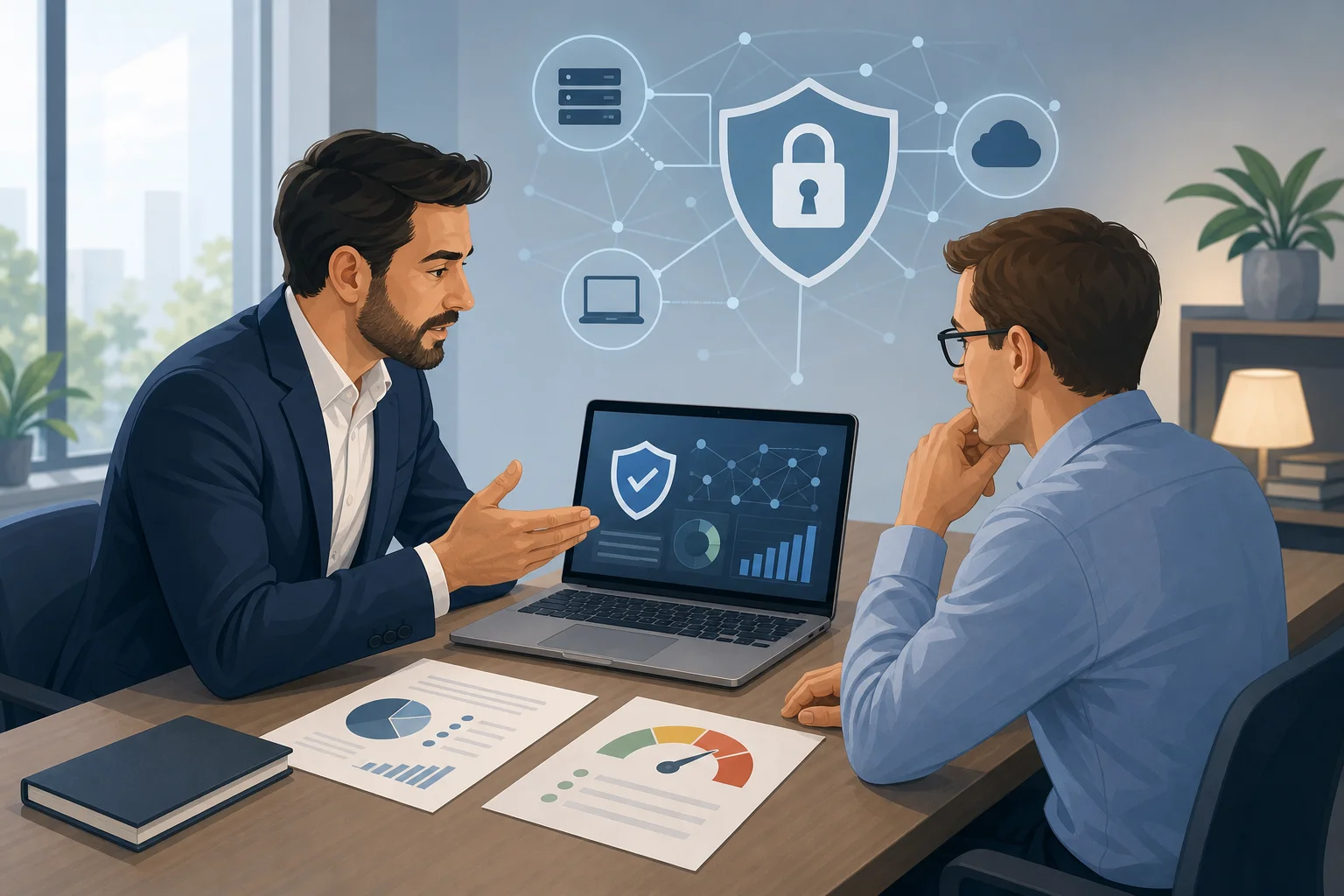
Questions to ask before purchasing a service
Before signing a contract, ask the contractor:
- what problem the service solves;
- which assets will be checked;
- what limitations are there for the check;
- what will be included in the report;
- whether recommendations will have priorities;
- who will help fix the identified issues;
- how your confidential information will be stored;
- whether there is a clear work plan and deadlines;
- what actions could affect system availability.
A good contractor explains risks in plain language and does not sell the maximum package without understanding your situation.
When an audit is needed versus just setup
If you lack basic measures, a full-scale expensive audit may be premature. An auditor will identify many obvious issues that you could have addressed yourself: no MFA, shared passwords, outdated plugins, open admin panels.
First, complete a basic checklist. Then order an external review. This way, you will gain more value: the specialist will look for not only obvious mistakes but also deeper issues.
Common mistakes when trying to save
Savings become dangerous when decisions are made without analysis. Below are mistakes that often lead to the opposite effect.
Buying the cheapest product without testing
A low price does not mean poor quality. But any tool needs to be tested for compatibility, convenience, and quality of support. If the product hinders work, employees will find ways to circumvent it. Eventually, protection becomes nominal.
Before purchasing, conduct a pilot with a small group. Evaluate:
- how easy it is to deploy the solution;
- how many false positives it generates;
- whether reports are clear;
- if support is available in the necessary language;
- whether it slows down work processes;
- if it can be quickly disabled or settings changed.
Abandoning logs and monitoring
Logs don’t protect by themselves, but they make it difficult to understand what happened. If an incident has already occurred, login and action logs help reconstruct the narrative and patch the hole.
You don't necessarily need to implement an expensive SIEM immediately. Start by activating logs on key services and setting up alerts for critical events: admin logins, MFA disabling, mass data downloads, new API key creation.
Using shared accounts
Shared logins seem convenient and inexpensive, but they create serious problems. It is impossible to determine who performed an action. It’s hard to securely terminate an employee. Passwords are often shared in messenger apps and remain with former employees.
It’s much safer to issue personal accounts with roles. If the service charges per user, assess the risk. For critical systems, saving on licenses may be unjustified.
Lack of an incident response plan
Even good protection does not provide complete guarantees. Therefore, a simple plan is necessary: who makes decisions, whom to notify, how to disable access, where the backups are stored, who communicates with clients and contractors.
The plan can fit on one page. Importantly, it should be accessible not only in a system that may become unavailable during an incident.
Practical checklist for 30 days
This plan will help quickly improve security and identify initial points for cost-saving.
First week
- List key services and responsible parties.
- Enable MFA for administrators and email.
- Check access for former employees.
- Ensure domains and hosting are registered to controlled accounts.
- Locate all active security and cloud service licenses.
Second week
- Configure or check backups.
- Conduct a test recovery.
- Disable unnecessary admin rights.
- Update CMS, plugins, servers, and work devices.
- Check SPF, DKIM, and DMARC for the email domain.
Third week
- Implement a password manager.
- Prohibit password sharing in chats and documents.
- Set up alerts for suspicious logins.
- Conduct a short phishing training.
- Define a channel for threat reporting.
Fourth week
- Compare actual license usage.
- Eliminate duplicate tools after verifying replacements.
- Create an incident response plan.
- Schedule an external audit or consultation for the most critical systems.
- Establish a regular quarterly review of access and backups.
Such a checklist does not require a large budget but creates a foundation for controlled savings.
FAQ: frequently asked questions about saving on cybersecurity
Can paid solutions be completely replaced with free ones?
Sometimes you can replace individual tools, but not the entire protection system. Free solutions require configuration, updates, and expertise. If you have a competent administrator, open-source may be beneficial. If not, the support for a free tool can cost more than a license.
Which is more important for small businesses: antivirus or backups?
Both elements are needed, but backups are critical for recovery. Antivirus can reduce the likelihood of infection, while backup helps to resume work if an infection, failure, or deletion has already occurred. Do not skimp on verified backups.
How to understand if we are overpaying for security?
Signs of overpayment include unused licenses, duplicated functions, reports that no one reviews, products that aren't configured, and employees circumventing them due to inconvenience. Conduct a task audit and match each tool with a specific risk.
Does a small business need a pentest?
Pentesting is useful if you have public services, customer personal data, an online store, or complex infrastructure. But first, address basic measures: MFA, updates, backups, access rights, and logs. Otherwise, pentesting will simply confirm obvious problems.
How often should the cybersecurity budget be reviewed?
At a minimum, access rights, backups, licenses, and critical changes should be reviewed quarterly. A full budget review is convenient to conduct annually or after major changes: moving to the cloud, launching a new product, team growth, or an incident.
What is the cheapest protective measure with a high effect?
Typically, it is MFA for important accounts, access audits, and verified backups. These measures are inexpensive compared to potential damage and address common attack scenarios.
Conclusion
You can save on cybersecurity without sacrificing protection by acting systematically: understand critical assets, enable basic features, eliminate unnecessary licenses, configure MFA, verify backups, and train employees. Don’t cut expenses blindly. Start with a 30-day checklist, assign responsibilities, and review protection regularly. This way, the budget will become clearer, and risks will noticeably decrease.