Ransomware algorithms: how they attack and how to protect yourself
Understanding the algorithms of ransomware is important not to replicate the attack, but to recognize the threat in time, minimize damage, and build defenses. Ransomware blocks access to data, encrypts files, and demands a ransom. In this article, we will explore their lifecycle, cryptographic principles, typical signs of infection, preventive measures, and the order of actions during an incident.
What are ransomware viruses
A ransomware virus is a malicious program that restricts access to data or systems and connects recovery to a ransom demand. Often, criminals promise to provide a decryption key after payment. In practice, there are no guarantees: the key may not arrive, may be non-functional, or may only restore some files.
The term ransomware is broader than the layman term virus. Not every such program is a classic virus, as many samples do not self-replicate. They can be trojans, loaders, worms, or part of a complex multi-stage attack. However, in common speech, the term ransomware is used for any malware that encrypts data for extortion.
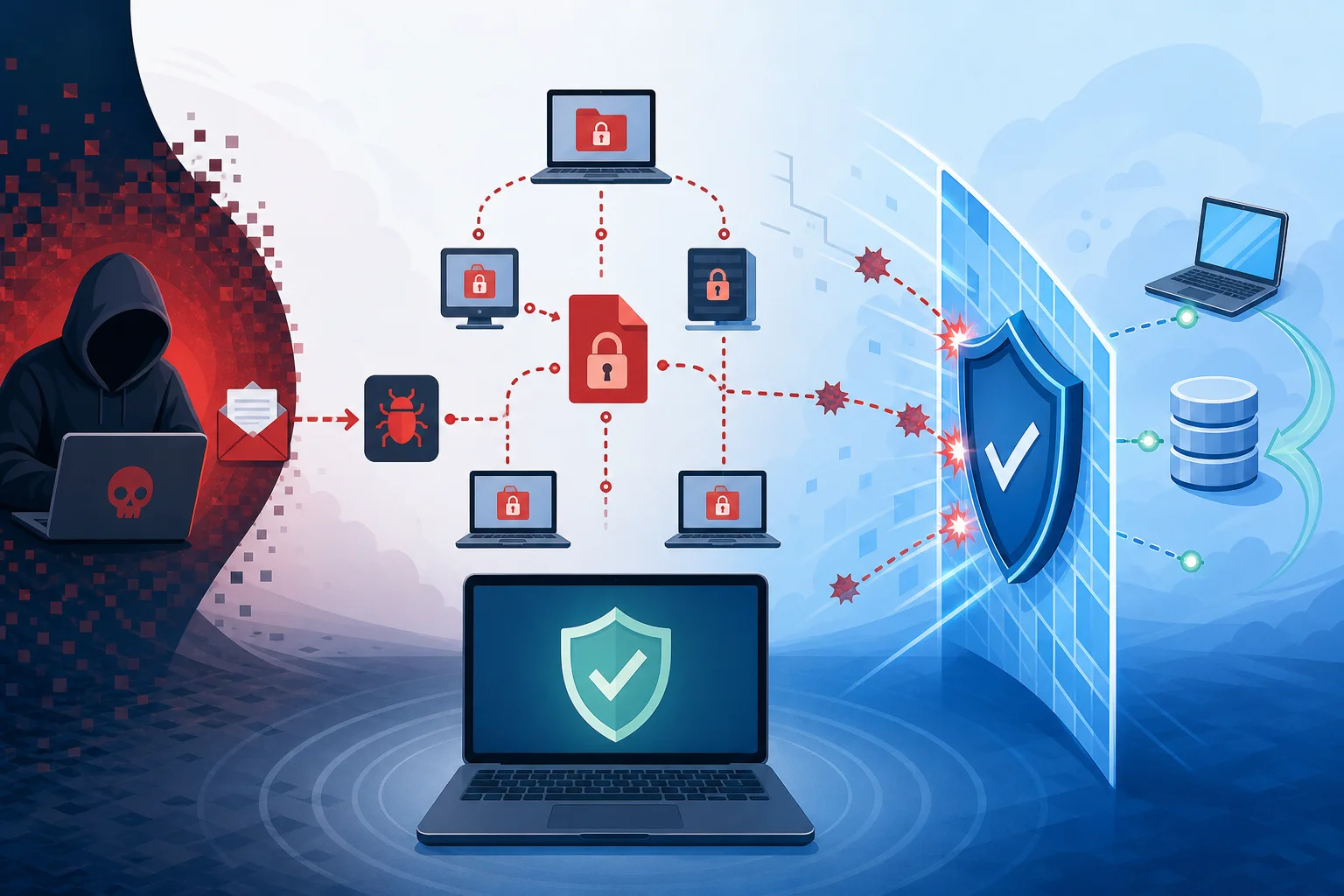
Modern attacks rarely are limited to a single executable file. Typically, it is a chain of actions: initial penetration, persistence, reconnaissance, privilege escalation, disabling protective mechanisms, encryption, and pressure on the victim. In corporate environments, data theft is often added to encryption. This is called double extortion: criminals threaten not only with the loss of files but also with the publication of confidential information.
General lifecycle of an attack
The algorithm of a ransomware attack can be presented as a sequence of stages. Real samples differ, but the logic is often similar. Understanding this chain helps to see exactly where protective measures can stop the attack.
1. Initial penetration
Infection begins at the entry point. Common scenarios include phishing emails, malicious attachments, links to fake sites, compromised accounts, vulnerabilities in public services, insecure remote access, and infected installers. Sometimes, attackers use already stolen passwords, so the user may not notice an obvious malicious file.
At this stage, the main goal of the attacker is to launch the initial component. This may be a small loader that checks the environment and receives further instructions. Such an approach complicates detection since the first program appears less dangerous than the final encryption module.
2. Environment checking
After launching, the malicious program often checks where it has ended up. It can assess the system language, domain environment, presence of protective measures, virtual environment, current user rights, and availability of network resources. Sometimes, ransomware will terminate if it detects signs of a research lab or sandbox.
For defenders, this is important for two reasons. First, malicious activity may not manifest immediately. Second, behavioral analysis should consider not only the fact of encryption but also preparatory actions: scanning files, accessing system directories, attempting to stop backup services.
3. Persistence and spread
Not every ransomware sticks to the system. Quick attacks may jump straight to encryption. But in more complex campaigns, attackers try to gain persistent access. They look for other computers, file servers, cloud storage, and administrator accounts.
In organizations, lateral movement is particularly dangerous. If one account has overly broad rights, the attack can quickly move from workstations to servers. This is why the principle of least privilege and network segmentation minimize the scale of damage.
4. Preparation for encryption
Before encryption, the malicious program usually creates a target list. It looks for documents, spreadsheets, databases, archives, images, projects, source files, and other valuable data. Meanwhile, system files may be intentionally skipped so that the computer continues to boot up and the user sees the ransom demand.
Then the ransomware may attempt to disable protection processes, delete shadow copies, disrupt backup agents, and stop applications that keep files open. Such actions are one of the key signals of an attack.
5. Data encryption
The main stage is the mass conversion of files into unreadable form. Symmetric encryption is usually used for speed. Asymmetric cryptography is employed to protect the keys. This approach is known as hybrid: files are encrypted quickly, while the keys for decryption are secured with the attacker’s public key.
Files may receive a new extension. Notes with instructions appear in directories. Sometimes the program leaves a victim identifier, contact address, and a deadline after which the ransom will increase. These elements are not needed for recovery but serve to exert psychological pressure and manage payments.
6. Extortion and pressure
After encryption, the victim is shown a message. It typically describes the payment conditions, method of contact, and threats. In attacks on companies, criminals may mention stolen documents or threaten to notify clients and partners.
It is important to remember: paying the ransom does not guarantee recovery. Furthermore, it supports the criminal economy and may create legal risks if the money goes to sanction-related groups. The decision to negotiate should involve management, legal counsel, security experts, and, if necessary, law enforcement agencies.
How encryption works in ransomware
Encryption itself is not harmful. It is a basic data protection mechanism in banking systems, messengers, VPNs, clouds, and corporate storage. The danger arises when cryptography is used against the data owner.
Symmetric encryption
Symmetric encryption uses the same secret key for encryption and decryption. It works quickly with large volumes of data. Therefore, ransomware often employs AES or ChaCha20 level algorithms or their analogues. The specific implementation depends on the malware family.
From a protection standpoint, the main takeaway is simple: if the key is securely generated and not stored in an accessible place, decrypting the files without the key is practically impossible. Therefore, hoping to brute-force the key is usually unrealistic. Exceptions occur if malware authors made a mistake in implementation.
Asymmetric encryption
Asymmetric cryptography uses a pair of keys: public and private. The public key can be embedded in the malware. It encrypts a random symmetric key that was used to encrypt the files. The private key remains with the attackers.
This approach explains why deleting the malware after encryption does not return data. The files are already transformed, and the key needed for restoration is unavailable. Thus, backups and early detection are more important than attempting to fix the consequences manually.
Implementation errors and decryptors
Sometimes researchers find errors in ransomware: weak random number generators, key reuse, storing keys on disk, problematic encryption modes, or vulnerabilities in the communication protocol. In such cases, free decryptors may appear.
However, one cannot rely on this. Before recovery, it’s worth checking reputable resources and decryptor databases from well-known companies and initiatives fighting ransomware. One should not download questionable decryptors from random sources, as they themselves may be malicious.
What data do ransomware choose first
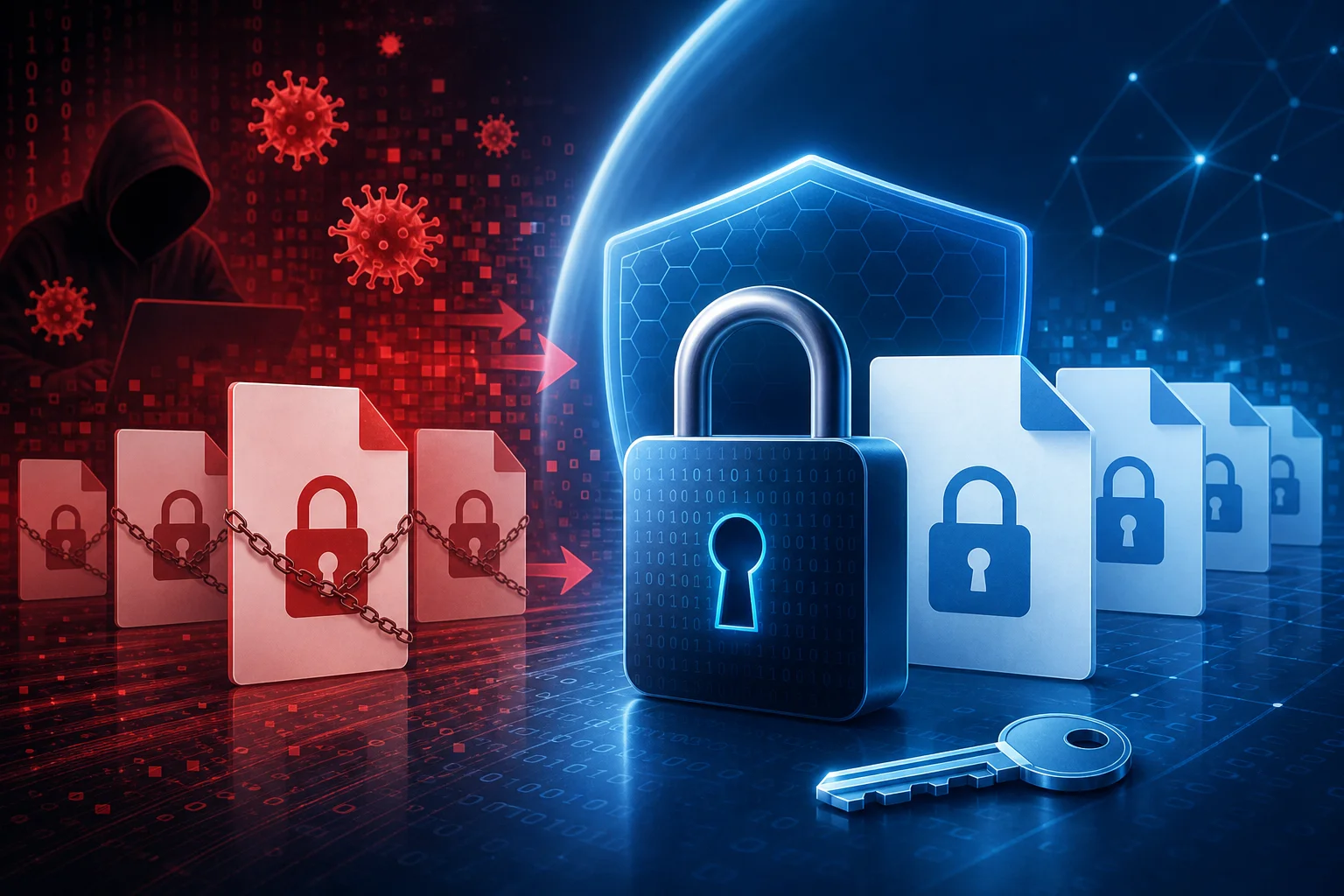
Malware typically seeks data whose loss will cause the most damage. User and business files often take priority:
- office documents, spreadsheets, and presentations;
- databases and files from accounting systems;
- archives and backups if they are accessible from the infected environment;
- images, videos, drawings, mockups, and project files;
- source code, configurations, and key working directories;
- network folders, connected drives, and synced cloud folders.
System directories may be skipped. This is not a sign of malware weakness. On the contrary, it is beneficial for attackers to keep the system functioning enough to display the payment instruction.
Typical signs of infection
The sooner an attack is noticed, the greater the chance of stopping it before complete encryption. Signs can be technical and user-based.
Users may notice that files suddenly stopped opening, there are unknown extensions, identical text instructions appeared in folders, the computer became significantly slower, and applications are generating data access errors. Sometimes the desktop background changes or a ransom demand window appears.
Administrators see more. At the log and monitoring level, suspicious activities may include mass file write and renaming operations, unusual activity from one account, access to many network folders, attempts to disable protection services, deletion of restoration snapshots, launching unknown processes from temporary directories, and a sudden increase in file access errors.
It is important to respond not only to the final ransom message. If the security system records preparatory actions, it should be considered a potentially critical incident.
Comparison of attack stages and protective measures
No single measure provides complete protection. An effective strategy is layered. The table shows what protective actions correspond to the stages of an attack.
| Attack Stage | What the ransomware does | How to protect against it |
|---|---|---|
| Initial entry | Tries to launch via email, link, vulnerability, or stolen access | User training, email filtering, MFA, updates, remote access protection |
| Reconnaissance | Studies the system, rights, and network | Behavioral monitoring, restricting rights, network segmentation |
| Preparation | Searches for valuable files and backups | Separate backup storage, access control, logging |
| Disabling protection | Attempts to stop services and delete copies | EDR, prohibiting unauthorized changes, separate admin accounts |
| Encryption | Massively alters files | Behavioral detection, quick device quarantine, write limitations |
| Extortion | Shows instructions and threatens publication | Response plan, legal support, communication plan, recovery from backups |
Step-by-step action plan upon discovering ransomware
If ransomware is suspected, speed is crucial. But chaotic actions can worsen the situation. Below is a safe order of response for users or administrators.
- Disconnect the device from the network. Unplug the Ethernet cable and turn off Wi-Fi. This may stop access to network folders and spread.
- Do not delete files and ransom notes. They may be needed for analysis, identifying the malware family, and consulting experts.
- Do not reboot the system without necessity. In some cases, a restart may destroy traces or trigger further actions.
- Notify the IT and security personnel. In a company, the response team, management, and system owners need to be immediately engaged.
- Document signs of the incident. Record the detection time, names of modified files, text of the demand, affected devices, and accounts.
- Isolate related systems. Check network folders, servers, backup storages, and other devices with the same credentials.
- Assess the scale. Determine whether the encryption is local or has affected the infrastructure. Without this, recovery may be premature.
- Check for backups. Ensure that copies are not infected and not encrypted. Restoring them should only be done in a cleaned environment.
- Identify the ransomware variant. Use trusted resources and expert assistance. This will help understand whether a decryptor exists.
- Restore operations according to the plan. First, eliminate the entry point, then reinstall or clean systems, change passwords, and only afterward restore data.
How to protect against ransomware viruses
Protection against ransomware is built on prevention, detection, and recovery. If one layer fails, the next should reduce the damage.
Backup according to the 3-2-1 rule
Reliable backups are the main way not to depend on ransom. The practical rule of 3-2-1 means: having at least three data copies, storing them on two different types of media, and keeping one copy separate from the primary environment. For modern companies, it’s important to add one more principle: at least one copy should be immutable or not accessible to regular accounts.
Copies should be regularly verified. Having an archive does not equal the ability to recover. Tests help identify damaged files, forgotten databases, incorrect access rights, and too lengthy recovery processes.
Updates and vulnerability management
Many attacks utilize known vulnerabilities for which patches already exist. Therefore, updating operating systems, browsers, office suites, server applications, VPN gateways, and remote access tools should be a regular process, not a one-time task.
For businesses, it’s helpful to maintain an asset inventory. You cannot protect a service that no one remembers exists. It is especially important to control systems accessible from the internet.
Multi-factor authentication
A stolen password should not open the way to the entire infrastructure. Multi-factor authentication reduces the risk of access with compromised data. It should be enabled for email, VPN, remote desktop, cloud panels, administrator accounts, and critical business systems.
However, MFA does not negate other measures. Attackers may attempt to use social engineering, fatigue from push notifications, or weak account recovery processes. Therefore, the MFA policy should be well thought out.
Principle of least privilege
Users need only the rights necessary for their work. If a regular account can alter all network folders and manage backups, ransomware will gain those same capabilities.
Administrator rights should preferably be granted temporarily and separately. In everyday work, an administrator should not use a privileged account. This reduces the risk of widespread infection.
Network segmentation
Segmentation limits the movement of an attacker. Workstations, servers, backup systems, accounting databases, and production systems should not be in a flat network without restrictions.
Even simple role-based separation helps. If an infected computer cannot directly access critical servers, defenders have time to respond.
Email protection and employee training
Phishing remains an important attack vector. Thus, technical filters, attachment checks, blocking of dangerous file types, link protections, and clear rules for employees are needed.
Training should be practical. Users should know what a suspicious email looks like, where to report it, and why they should not enable questionable macros or run unknown attachments. A culture of quick error reporting is more useful than finding someone to blame.
Monitoring and response
Antivirus is helpful, but a signature-based approach is insufficient. Modern protection should analyze behavior: mass file changes, attempts to delete backup snapshots, unusual account activity, launching programs from atypical locations.
For organizations, event logs, centralized log collection, EDR, or similar tools, as well as a predefined response plan, are crucial. The plan should answer questions about who makes decisions, whom to notify, how to isolate a segment, where contractor contacts are stored, and how to restore priority systems.
Mistakes that increase damage
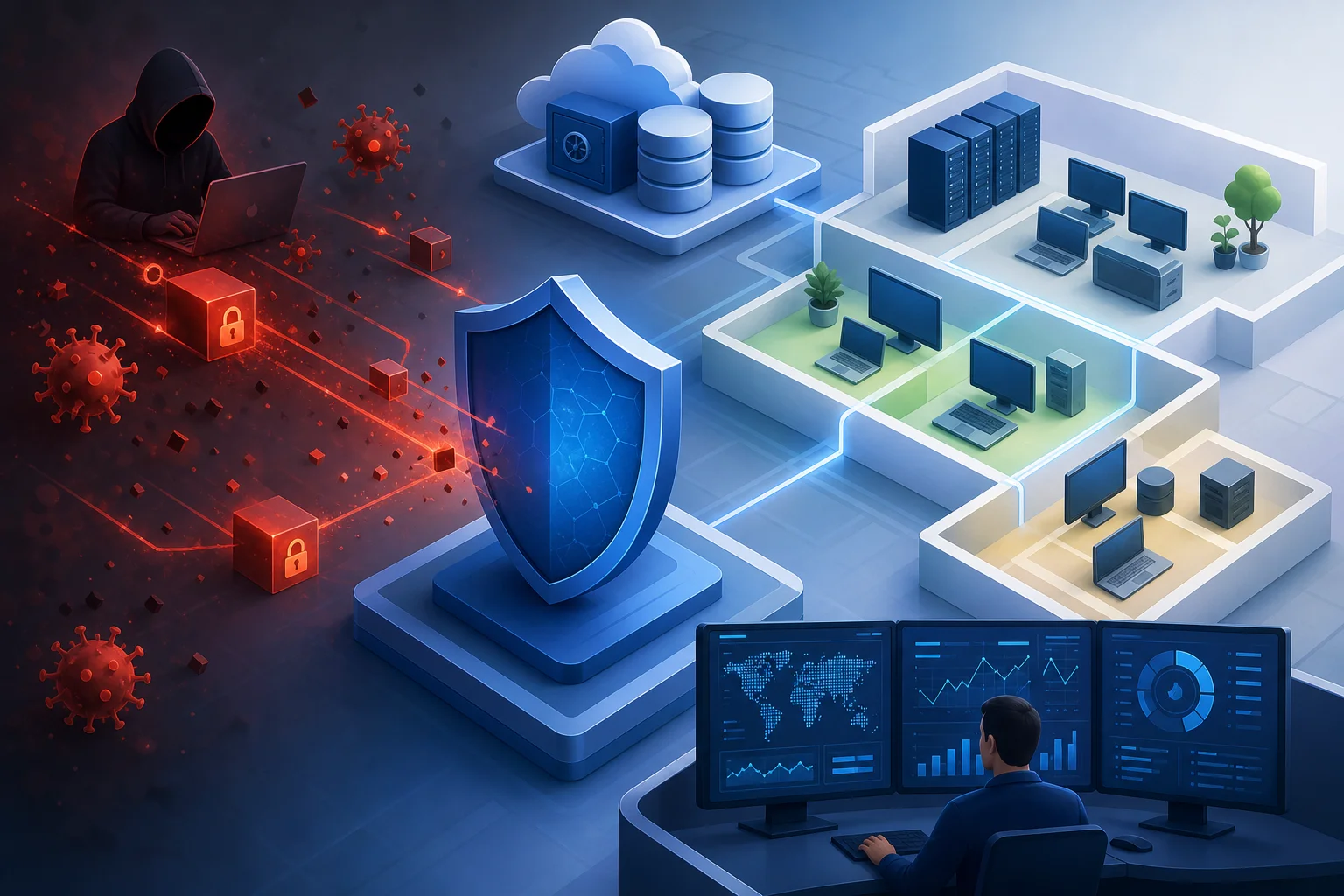
Certain actions worsen the consequences. The first mistake is keeping backups constantly connected to the same system. If ransomware has access to them, it can encrypt the copies as well.
The second mistake is using one administrator account everywhere. Compromising such an account opens access to many systems.
The third mistake is restoring data before eliminating the infection’s cause. If the entry point is not closed, the attack can recur.
The fourth mistake is hiding the incident within the organization. Delaying notifications hampers isolation, legal assessment, and proper communication with clients.
The fifth mistake is downloading unknown decryptors. A new malware strain may be distributed under the guise of a recovery tool.
Can files be decrypted without paying ransom
Sometimes it is possible, but not always. The possibility depends on the specific ransomware family, the quality of the encryption implementation, the presence of errors by the attackers, and the availability of backups.
First, one must identify the ransomware by file extension, text of the note, and other signs. Then it is worth checking trusted databases of free decryptors. If there is no tool, it is better to focus on recovery from backups and incident investigation.
It is important not to modify encrypted files unless necessary. Their copies may be needed if a decryptor becomes available later. Store samples separately and do not run suspicious files.
Features of attacks on home computers
Home users often encounter infections through pirated software, fake updates, email attachments, file-sharing networks, and malicious ads. The damage is usually associated with the loss of photos, documents, personal archives, and work materials.
Basic protection for home includes automatic updates, built-in or third-party malware protection, caution with attachments, a separate external disk for backups, and cloud synchronization with version history. It is better to only connect the external disk temporarily when copying.
It is also useful to use a regular account without administrator rights for daily work. This will not stop all threats but will reduce the capabilities of the malware.
Features of attacks on businesses
In business, ransomware becomes not only a technical issue but also an operational one. Sales, production, accounting, customer support, and internal processes come to a halt. Additionally, there may be obligations to notify regulators, partners, and users.
Companies need prioritization. Not all systems are equally important. The recovery plan should define which services are restored first, which data is critical, how much downtime is acceptable, and who is responsible for communication.
Special attention is required for backups of domain controllers, databases, virtualization systems, and cloud services. If backups are only set up for file folders, business recovery may take longer.
Frequently asked questions about ransomware
How to tell if files have been encrypted by ransomware
Typically, files stop opening, receive new extensions, and folders contain ransom demand instructions. There may also be mass renamings and a sudden slowdown in the system.
Should you pay the ransom
Payment does not guarantee recovery and may support the criminals. First, assess backups, check for free decryptors, isolate systems, and consult with specialists and lawyers.
Will antivirus help after encryption
Antivirus can remove an active threat, but it will not decrypt already damaged files. Clean backups, an official decryptor, or a decryption key are necessary for recovery.
Why did the ransomware encrypt a network folder
The malware operates with the rights of the infected user or process. If this account had write access to a network folder, the files in it could have been altered.
Is it possible to be completely protected from ransomware
There is no absolute protection. But a combination of backups, updates, MFA, limiting rights, segmentation, monitoring, and training dramatically reduces the likelihood of catastrophic damage.
What to do with encrypted files after recovery
Do not rush to delete everything. Keep some samples and the ransom note for investigation. The remaining data can be archived separately or deleted after analysis and confirmation of recovery.
Brief prevention checklist
To reduce the risk of infection, use a practical minimum:
- enable automatic updates for systems and applications;
- set up backups and regularly test recovery;
- store one copy separately or in immutable storage;
- enable multi-factor authentication for important accounts;
- limit user and administrator rights;
- disable unnecessary remote access services;
- segment the network and critical resources;
- use protection tools with behavioral analysis;
- train employees to recognize phishing;
- prepare a response plan in advance.
Conclusion
The algorithms of ransomware are based on a clear sequence: penetrating, studying the environment, gaining access to valuable data, encrypting it, and pressuring the victim. Protection does not come from a single magic program, but from discipline: timely updates, least privilege, MFA, segmentation, monitoring, and verified backups. Start auditing copies and access rights today: these measures often determine whether the attack will be a brief incident or a prolonged crisis.