How ransomware viruses work and how to protect data
How ransomware viruses work: they infiltrate a device or server, locate valuable files, encrypt them using a cryptographic algorithm, and demand a ransom for the recovery key. This type of attack is called ransomware, or ransomware software. In this article, we will examine how a ransomware virus enters a system, what it does after launching, why simply deleting the virus does not restore files, what signs of infection are important, and how to build protection at home and in a company.
What is a ransomware virus
A ransomware virus is a malicious program that blocks access to data or systems and demands money for restoration. Most commonly, it encrypts documents, databases, archives, photos, accounting files, and other work materials. Then, a note demanding a ransom appears on the screen or in folders.
Technically, many modern ransomware are not "viruses" in the strict sense. A classic virus embeds itself into other files and spreads through them. Ransomware can be a trojan, worm, dropper, script, or part of a complex attack involving manual actions by the attacker. However, in everyday speech, they are often referred to as ransomware viruses, and this term is understood by most users.
The main goal of such a program is to create a situation where the data owner feels pressured. To achieve this, attackers use several levers:
- inaccessibility of important files;
- stoppage of work processes;
- threat of publication of stolen data;
- timers and psychological pressure;
- promise of a "discount" for prompt payment.
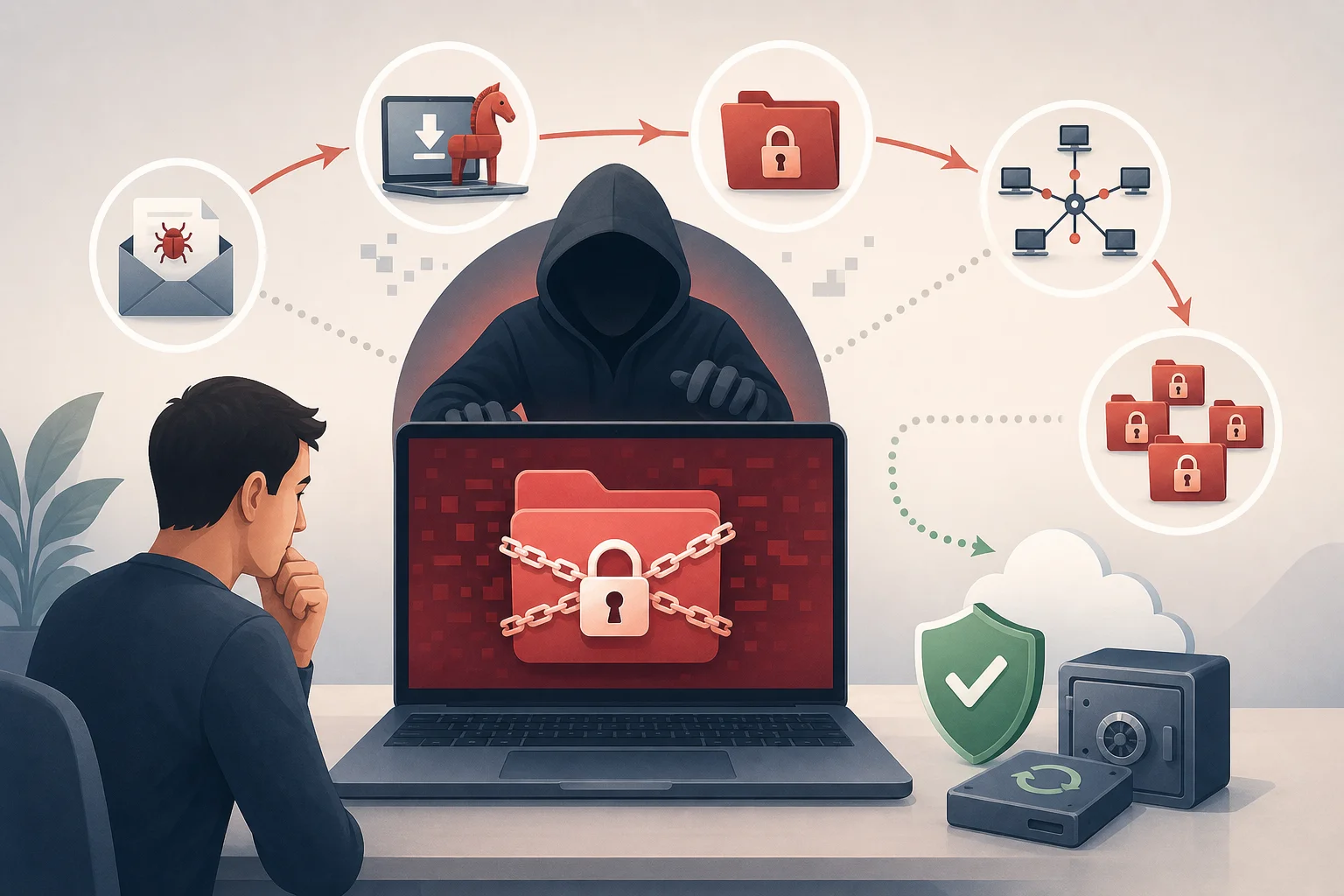
It is important to understand: a ransomware virus does not always simply corrupt files. In mature attacks, criminals first study the network, steal data, disable protection and backups, and only then initiate mass encryption.
How ransomware differs from regular malware
Regular malware can steal passwords, display ads, connect the computer to a botnet, or monitor users. A ransomware virus acts differently: it makes data inaccessible and turns it into a tool for pressure.
The main distinction is the use of cryptography. If files are encrypted with a properly implemented algorithm, it is practically impossible to guess the key. Therefore, recovery depends not on "curing" the virus, but on the availability of backups, errors in the implementation of encryption, or found keys for a specific family of ransomware.
There are other differences:
| Criterion | Regular malware | Ransomware virus |
|---|---|---|
| Goal | Stealthily steal data, control the device, show ads | Block access to data and demand a ransom |
| Detectability | Often operates unnoticed | Usually manifests after encryption |
| Damage | Can be gradual | Often quick and critical |
| Recovery | Sometimes sufficient to delete the program | Deletion does not decrypt files |
| Pressure on the victim | May be absent | There is almost always a note, timer, or threats |
How ransomware gets onto a device
The infection route depends on the target. Home users more often encounter phishing emails, pirated software, and infected attachments. Companies are more frequently attacked through remote access, vulnerabilities in servers, stolen passwords, and supply chain attacks.
Phishing emails and attachments
Phishing remains one of the most common delivery methods for ransomware. The user receives an email that looks like a message from a bank, delivery service, contractor, tax authority, HR department, or technical support. Inside is an attachment or a link.
Dangerous can be:
- an archive with an executable file;
- a document with macros;
- a link to a fake login page;
- a file disguised as an invoice, act, or resume;
- an installer for a "useful" program.
Once the attachment is opened, a dropper is launched. It connects to the attacker's server and downloads the main malicious program. Sometimes the attack does not begin immediately. The attackers wait until the device is in the corporate network or the user gains more privileges.
Vulnerabilities in programs and servers
If an operating system, browser, mail server, VPN gateway, CMS, or other program has not been updated for a long time, it may contain known vulnerabilities. Criminals scan the internet in search of such systems and use ready-made exploits.
Particularly dangerous are vulnerable services available from the internet:
- RDP and other remote desktop services;
- VPN servers;
- mail servers;
- administration panels;
- cloud storage;
- web applications and CMS plugins.
In corporate attacks, criminals often gain initial access through one weak point, then move around the network, escalate privileges, and look for servers with important data.
Weak passwords and remote access
Open remote access with a simple password is a common cause of infection. If RDP is available from the internet, and a password like Company2024 is used by several employees, the risk significantly increases. An attacker can guess the password, buy it on the underground market, or obtain it through phishing.
Once logged in, the attacker already appears as a regular user. They can disable protection, download tools, explore network drives, and manually launch the ransomware. Therefore, multi-factor authentication, VPN access restrictions, and login attempt monitoring are just as important as antivirus software.
Pirated software and illegal activators
Pirated software often contains malicious code. The user disables protection to run a "crack" and thus removes the last barrier. Illegal activators, builds of systems, hacked games, and questionable drivers may include a ransomware dropper.
For businesses, this is particularly dangerous. One infected laptop can access network folders, shared drives, and cloud synchronizations. As a result, the problem extends far beyond one device.
How ransomware viruses operate after launching
Ransomware usually goes through several stages. While details differ among various families, the overall logic is similar: establish a foothold, prepare the attack, encrypt files, and leave instructions for ransom.
Stage 1. Establishment and reconnaissance
Initially, the malware checks the environment. It can determine the system language, domain, user rights, presence of antivirus, virtual machine, or analysis tools. Some ransomware do not launch in certain regions or in a test environment to reduce the risk of detection.
The program then searches for:
- local drives;
- network folders;
- connected storage devices;
- cloud synchronization directories;
- databases and backup storage;
- processes that block necessary files.
In corporate attacks, reconnaissance can last days or weeks. Criminals study the network structure, look for domain controllers, backup servers, and administrative accounts.
Stage 2. Disabling protection and backups
Before encrypting, ransomware attempts to remove obstacles. It can terminate database processes, office programs, and email clients to gain access to open files. It may also delete Windows shadow copies, disable backup services, and attempt to stop protective software.
Typical actions include:
- terminating processes that keep files open;
- deleting local restore points;
- clearing logs;
- disabling some services;
- attempting to delete backups;
- propagating through network resources.
This is why backups must be isolated. If a copy is constantly connected as a regular disk, the ransomware can encrypt it as well.
Stage 3. Encrypting files
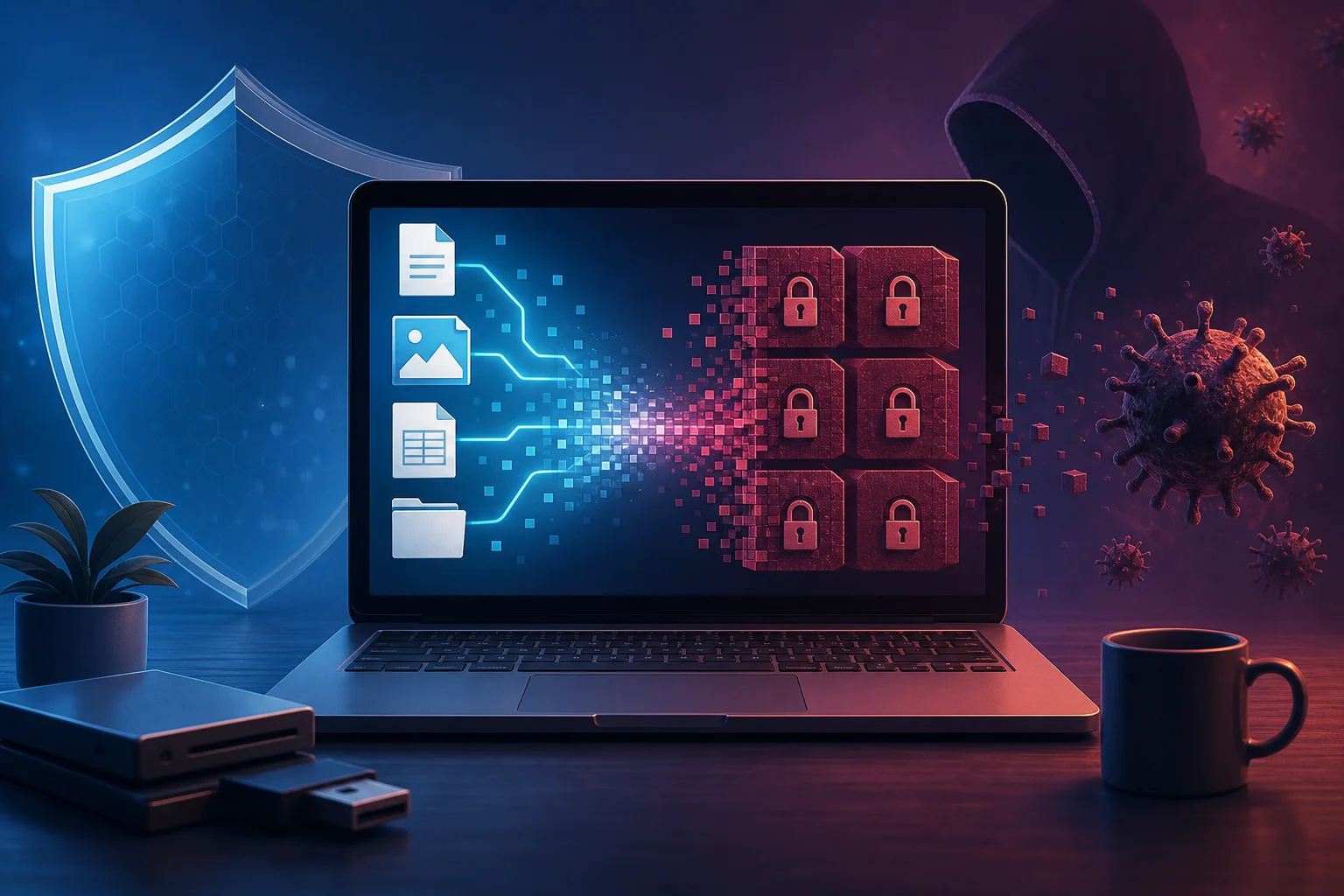
At this stage, the malware iterates through files by extensions and directories. Typically, it selects documents, spreadsheets, presentations, images, archives, databases, projects, and other valuable formats. System files are sometimes skipped to allow the computer to continue working and to enable the user to read the ransom demand.
Modern ransomware often use a hybrid scheme:
- A fast symmetric key is created for each file.
- The file is encrypted with this key.
- The symmetric key itself is encrypted with the attacker's public key.
- The encrypted key is saved in the file or alongside it.
- The original file is deleted or overwritten.
This approach combines speed and resilience. Symmetric encryption processes large volumes of data quickly, while asymmetric encryption prevents access to the key without the private part, which remains with the criminals.
Stage 4. Ransom note
After encryption, the victim sees a message. It may appear on the desktop, in the browser, in text files within folders, or as modified wallpaper. The note usually includes:
- the fact of encryption;
- the address of a website or chat on the Tor network;
- a unique victim identifier;
- the ransom amount;
- the payment deadline;
- threats to delete the key or publish data;
- an offer to decrypt one file "for proof".
Payment is almost always required in cryptocurrency. However, even after payment, there is no guarantee that the key will be provided, that it will work, or that stolen data will not be sold later.
Why deleting the virus does not restore files
This is one of the major myths. An antivirus may remove the malicious file, halt the process, and prevent further encryption. But already encrypted data remains encrypted. It’s like a safe: removing the person who locked the safe does not make the contents accessible without the key.
Recovery is possible in a few cases:
- there is a clean backup;
- the ransomware was poorly written and made a cryptographic error;
- keys for a specific family have already been published by researchers;
- some files may remain in temporary folders, caches, or cloud version histories;
- encryption was interrupted at an early stage.
Therefore, after infection, it is important not to act chaotically. One should not immediately reinstall the system, format disks, or run random "decryptors" from search results. Such actions may destroy evidence, temporary files, and the possibility of recovery.
What types of ransomware exist
Ransomware differs in the method of impact and extortion model. Understanding the types helps assess the risk more accurately.
File encryptors
This is the most well-known type. It encrypts the user's files and adds a new extension or changes the name. The operating system may continue to work, but documents, photos, databases, and archives cannot be opened.
File encryptors most often attack home computers, workstations, and network folders.
Screen lockers
A locker limits access to the desktop or system. It may display a full-screen window demanding payment. Unlike file encryptors, the data sometimes remains untouched. However, the user cannot work normally.
Such attacks are less common because they are easier to bypass using safe mode, bootable media, or system recovery.
Server and virtual infrastructure encryptors
Attacks on servers, hypervisors, and storages pose particular danger. If virtual machines, databases, or file servers are encrypted, an entire department or company can be halted.
Such attacks are often carried out manually after penetrating the network. Criminals choose moments when the damage will be maximal: at night, on weekends, holidays, or during reporting periods.
Double and triple extortion
Previously, criminals primarily encrypted files. Now they often first steal data and then threaten publication. This is called double extortion.
In triple extortion, pressure expands further. Criminals may write to the clients, partners, or employees of the victim, report the breach, threaten DDoS attacks, or use stolen data for new attacks.
Signs of ransomware infection
Sometimes encryption happens quickly, and signs are visible only after the attack. But some signals can be noticed earlier.
Pay attention to the following symptoms:
- files suddenly change extensions and cannot be opened;
- identical text files with instructions appear in folders;
- the computer suddenly slows down for no apparent reason;
- the disk is actively working, even though the user is not copying anything;
- restore points disappear;
- the antivirus reports a suspicious process;
- network folders become inaccessible;
- unusual RDP or VPN logins are visible in logs;
- a ransom demand appears.
If you notice mass renaming of files or the emergence of notes, consider the situation an incident. It is better to stop the spread than to "wait for it to pass".
What to do in the event of ransomware infection
Below is a step-by-step action plan. It is suitable for a home user and as a basic plan for small businesses. In an organization, it is additionally necessary to involve cybersecurity specialists, system administrators, lawyers, and management.
Step-by-step action plan
- Disconnect the device from the network. Pull out the network cable, turn off Wi-Fi and Bluetooth. This can stop the encryption of network folders and the spread of the infection.
- Do not turn off the computer unless necessary. If the process is still running, specialists may need data from the memory. But if encryption continues and there is no help, turning off the power sometimes reduces damage. The solution depends on the situation.
- Do not pay immediately. Payment does not guarantee recovery and supports the criminal model. First, assess your options.
- Document the signs. Take photos of the note, save the names of encrypted files, their extensions, the time of the event, and suspicious emails.
- Isolate shared resources. Disconnect network drives, stop cloud synchronization, and temporarily restrict user access.
- Check backups. Ensure they are not encrypted and were made before the infection.
- Identify the family of ransomware. Use reputable identification services or seek professional help. Do not upload confidential files to unverified websites.
- Check for a decryptor. Sometimes researchers publish free tools for specific families.
- Clean the system or reinstall it. Do this after preserving necessary evidence and assessing recovery.
- Restore data from clean copies. First, close the vulnerability; otherwise, the ransomware may return.
The main rule: do not restore backups in an infected environment. First, you need to understand how the breach occurred, close the entry point, and ensure the attacker lost access.
Is it worth paying the ransom?
There is no universal answer, but in most cases, it is not recommended to pay. The reasons are simple: criminals may not provide the key, the decryptor may work poorly, some files may be corrupted, and data may have already been stolen. Furthermore, payment funds new attacks.
However, in real life, organizations sometimes consider paying if critical processes, lives, or business survival depend on the data. Even in such cases, the decision should be legally and managerially weighed. It is important to consider sanction risks, regulatory requirements, client obligations, and the need to notify about possible leaks.
Before any negotiations, assess:
- whether there are working backups;
- whether the data is really stolen;
- whether partial operations can be restored;
- whether a free decryptor is available;
- what legal consequences may arise;
- whether the group is on banned lists;
- how to prevent future attacks.
For home users, the best option is almost always to look for backups, cloud versions of files, and free recovery tools rather than transferring money to unknown individuals.
How to protect against ransomware viruses
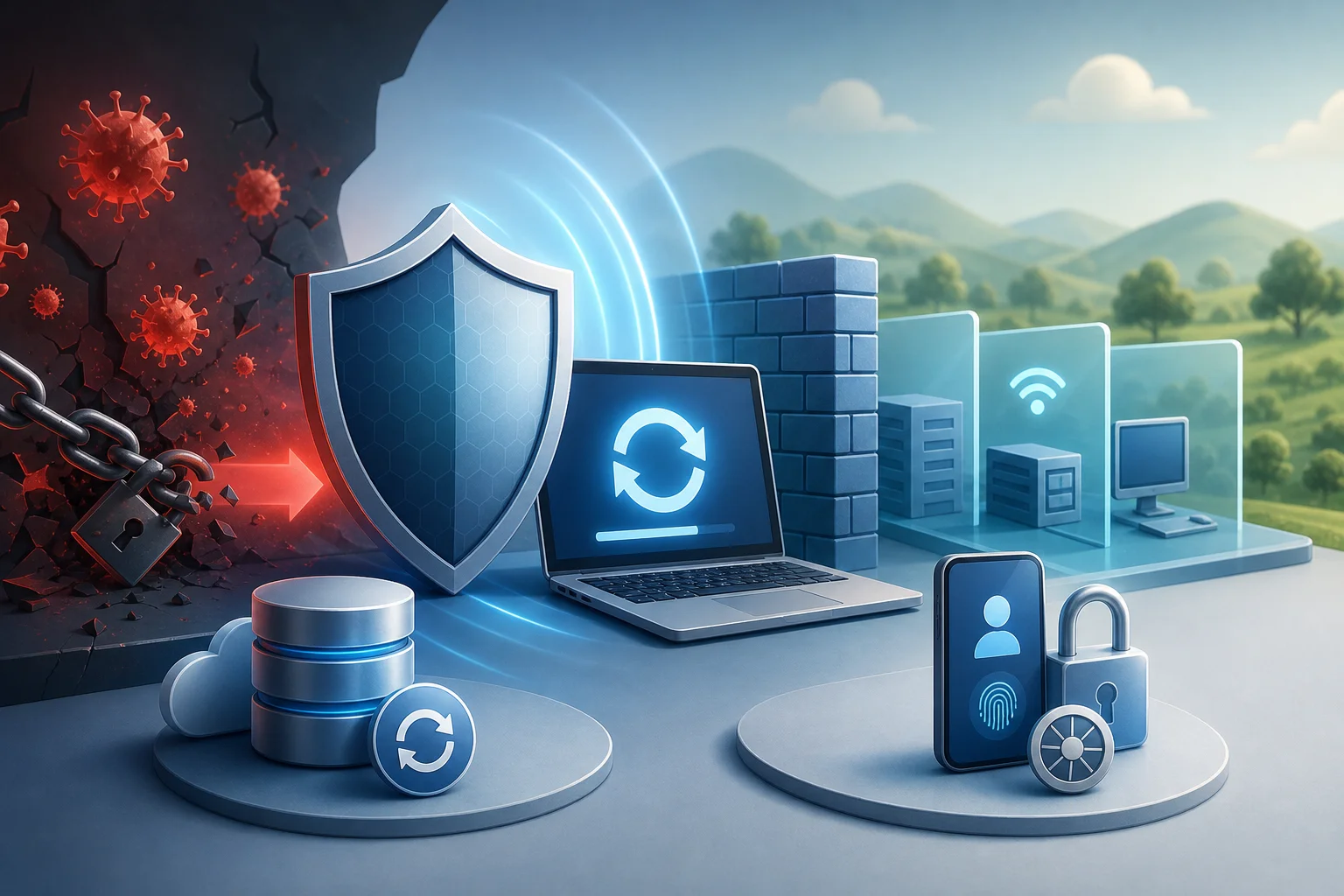
Protection is built in layers. One antivirus is useful, but it does not replace updates, backups, access control, and user training. The more independent barriers there are, the lower the likelihood of disaster.
Follow the 3-2-1 backup rule
The 3-2-1 rule means:
- keep at least 3 copies of data;
- use 2 different types of media or storage;
- keep 1 copy off the main system or offline.
For home use, this could be a combination of an external drive, a cloud with version history, and periodic offline copies. For businesses, backup storage, immutable copies, separate accounts, network segmentation, and regular recovery tests are essential.
A copy is considered useful only after verification. If you have never tried to restore a file, you do not know if the backup works.
Update systems and programs
Updates close known vulnerabilities. First and foremost, update:
- operating systems;
- browsers;
- office suites;
- email clients;
- VPN and network hardware;
- servers and web applications;
- CMS plugins;
- antivirus bases and security agents.
In companies, a patch management process is necessary. It is important to understand what systems are in the network, who is responsible for them, and how quickly critical patches are installed.
Restrict user rights
A user should not work with administrator rights every day. If the ransomware is launched under a regular account, its capabilities are often limited. The user will not easily be able to disable services, install drivers, change system settings, or encrypt others' directories.
Apply the principle of least privilege:
- grant access only to necessary folders;
- separate administrative and regular accounts;
- disable unnecessary local administrators;
- use separate passwords for different systems;
- regularly review access rights.
Protect remote access
If remote access is necessary, it should be restricted from direct access from the internet. It is better to use VPN, multi-factor authentication, and allowlists.
The minimum set of measures includes:
- disable open RDP if not needed;
- enable MFA for VPN, email, and admin panels;
- limit login attempts;
- use long unique passwords;
- maintain login logs;
- block outdated protocols.
Configure mail protection and training
Since many attacks begin with an email, email security is important. Use attachment filtering, link checking, domain spoofing protection, and sandboxing for suspicious files.
But technology does not replace vigilance. Users should understand not to open unexpected attachments, enable macros upon a document's request, input passwords on strange pages, or launch "bill.exe" from an archive.
Training is best conducted in short and regular sessions. People remember practical examples more quickly than lengthy instructions.
Use network segmentation
If the entire network is flat, one infected computer can reach many resources. Segmentation limits the spread. Workstations, servers, backups, guest networks, and administration should be separated.
Important measures include:
- restrict server access based on roles;
- close unnecessary ports between segments;
- separate backup infrastructure;
- control access to network folders;
- use anomaly activity monitoring.
How to check preparedness for an attack
Protection against ransomware is not a one-time setup but regular checking. Below is a short checklist that helps find weak spots.
| Question | Good sign | Risky sign |
|---|---|---|
| Are backups in place? | Copies are created automatically and checked | Copies are stored only on a connected disk |
| Is version history available? | Can return files to a state before the attack | The cloud synchronizes only the current version |
| Is RDP closed from the internet? | Access only through VPN and MFA | The port is open to everyone, password is simple |
| Are systems updated? | There is a regular patch installation process | Updates are postponed for months |
| Are rights limited? | Users operate without admin access | Everyone has local administrator rights |
| Is mail checked? | There is filtering and training | Any attachments are allowed without control |
| Has recovery been tested? | Trial recoveries have been conducted | No one knows how long it will take to restore data |
If there are at least a few points in the right column, the risk of serious damage increases. Start with backups, updates, and closing unnecessary remote access.
Frequently asked questions about ransomware viruses
Can files be decrypted without payment?
Sometimes yes. It depends on the specific family of ransomware, the quality of encryption, and the availability of backups. Check if there is a free decryptor from known research projects and antivirus companies. If the algorithm is implemented correctly and there are no keys, decryption without a key is usually impossible.
Will antivirus help after infection?
Antivirus can stop the malicious process, remove components, and prevent restarting. But it is not obliged to decrypt already damaged files. Therefore, antivirus is important as part of protection but does not replace backups.
Can ransomware infect smartphones?
Yes, but the scenarios differ. On smartphones, blockers, malicious applications, and data theft are more common. Comprehensive mass encryption of user files is less typical than on Windows systems, but the risk remains. Install applications only from trusted sources, update the system, and do not grant unnecessary permissions.
Are cloud drives risky with ransomware?
Cloud drives are useful, but synchronization can spread encrypted versions of files into the cloud. Protection comes from version history, recycling bins, immutable copies, and separate backup policies. A simple synchronization folder is not a complete backup.
How to tell if an email might deliver ransomware?
Check the sender, domain, writing style, unexpected attachments, requests to urgently open a file, or enable macros. Password-protected archives, executable files, shortcuts, and documents that require disabling protection are dangerous. If in doubt, contact the sender through another channel.
Why do ransomware attacks target small businesses?
Small businesses often have valuable data but are less protected: fewer IT resources, outdated systems, simple passwords, and backups without verification. For criminals, this is a convenient target. Basic security hygiene significantly reduces risk.
Common mistakes in protection
Even good tools do not help if they are used incorrectly. The most common mistakes are as follows:
- storing a single backup on a constantly connected disk;
- considering cloud synchronization a full backup;
- leaving RDP open to the internet;
- using one password for email, VPN, and admin panels;
- working as an administrator without necessity;
- postponing critical updates;
- not checking logs;
- downloading decryptors from unknown sites;
- restoring data before addressing the cause of the breach.
It is challenging to fix everything at once. Therefore, prioritize measures: first, backups and closing obvious entry points, then rights, updates, monitoring, and training.
Summary
Ransomware viruses do not operate magically but follow a clear scheme: gaining access, searching for valuable data, disabling protective mechanisms, encrypting files, and demanding ransom. Their strength lies in combining technical damage with psychological pressure. The best defense is advanced preparedness: verified backups, updates, multi-factor authentication, restricted rights, secured mail, and a response plan. Check your copies, close unnecessary remote access, and update critical systems today before an attack turns prevention into urgent recovery.