Fighting ransomware viruses: protection, response, and recovery
The fight against ransomware viruses begins long before the ransom demand window appears. Ransomware blocks access to files, servers, and workstations, and then demands payment for the decryption key. In this article, we will analyze how such attacks occur, what measures reduce the risk of infection, what to do in the first minutes of an incident, and how to recover data without panic and unnecessary losses.
Ransomware is dangerous not only for large companies. A home computer, small business accounting, a medical clinic, an online store, or a remote employee can all become targets. A sophisticated hack is not always necessary. Often, a phishing email, a weak remote access password, or an outdated system suffices.
The good news is that proper preparation significantly increases resilience. This includes backups, updates, multi-factor authentication, employee training, and a clear response plan. Even if an attack has already occurred, the right actions help preserve evidence, stop the spread, and return to work more quickly.

What is ransomware and how does it work?
Ransomware is a type of malicious software that encrypts files or entire drives to prevent the owner from using them. After that, a note appears on the screen with instructions. Typically, it demands payment in cryptocurrency and promises to provide a key for decryption.
However, the criminals' promise is not a guarantee. The key may not arrive. The decryption tool may malfunction. Moreover, payment supports a criminal model and does not eliminate the cause of the breach. If the attackers maintained access to the network, the attack could recur.
Modern ransomware often operates in several stages:
- System penetration. This can be an email with an attachment, a compromised website, a stolen password, a vulnerable VPN, open RDP, or a malicious loader.
- Establishment. The malicious code attempts to gain admin rights, disable protection, and create hidden launching mechanisms.
- Reconnaissance. The attackers search for important folders, network drives, databases, backups, and accounts with elevated privileges.
- Data theft. In many attacks, data is first copied outside. The victim is then threatened with its publication.
- Encryption. Files receive a new extension, and access to them disappears.
- Extortion. A ransom demand and pressure timer appears.
That’s why fighting ransomware involves more than just installing antivirus software. It requires a comprehensive protection strategy for people, processes, devices, and backups.
Why does ransomware remain a serious threat?
Ransomware continues to spread because it is lucrative for criminals and often exploits common vulnerabilities. Hackers do not need to invent a new method each time. They look for weaknesses that recur time and again.
Common reasons for successful attacks include:
- lack of regular backups;
- storing backups on the same network as working files;
- weak or reused passwords;
- disabled updates for Windows, Linux, applications, and network equipment;
- RDP access or admin panels exposed to the internet;
- absence of multi-factor authentication;
- excessive privileges for users;
- poor email filtering;
- low employee awareness of phishing.
Moreover, attacks have become more organized. Criminal groups use partnership schemes, buy access on shadow platforms, employ legitimate administrative tools, and try to appear like normal system processes. Therefore, protection must be multi-layered.
Key signs of ransomware infection
The sooner an attack is noticed, the greater the chances of stopping it before complete encryption occurs. Sometimes the infection is evident right away. Other times, the initial signs look like a typical malfunction.
Watch for the following symptoms:
- files suddenly stop opening;
- documents, photos, or archives have strange extensions;
- folders contain files with ransom instructions;
- the computer has significantly slowed down for no clear reason;
- antivirus or EDR reports a suspicious process;
- users complain about inaccessible network folders;
- shadow copies or restore points have disappeared;
- servers are mass creating, changing, or deleting files;
- logs show unsuccessful logins, new administrators, or the launching of unknown programs.
If you see several of these signs, do not reboot everything and do not start deleting files at random. The first step should be to isolate infected devices and preserve information for analysis.
How to prepare before an attack
The best victory in the fight against ransomware is when the attack does not lead to disaster. This requires prevention. Below are measures that are useful for both businesses and advanced home users.
Set up backups according to the 3-2-1 rule
Backups are the primary tool for recovery after a ransomware attack. But not just any backup will do. If the copy is constantly available from an infected computer, the virus can encrypt it as well.
The practical 3-2-1 rule looks like this:
- 3 copies of data: the main version plus at least two backups;
- 2 different types of media or storage: for example, NAS and cloud, external drive and object storage;
- 1 copy offsite: offline, immutable, or in a separate cloud account.
For companies, it is essential to regularly test recovery processes. A backup that has never been tested may turn out to be useless. Check not only for file presence but also the operability of databases, virtual machines, and business applications.
Update systems and close vulnerabilities
Many attacks exploit known vulnerabilities for which patches have already been released. Therefore, updates are not a formality but the foundation of protection.
Enable automatic updates where possible. For servers, use a managed process: testing, maintenance window, installation, verification. Don’t forget about browsers, office suites, archivers, email clients, VPN gateways, network storages, and hypervisors.
Also, check outdated systems. If an old server cannot be updated, it should be isolated, access should be restricted, and a replacement planned.
Limit user privileges
Users should not have admin rights for everyday tasks. The principle of least privilege reduces the scale of damage. If an infection starts from a regular account, it is harder for the malware to disable protection, change system settings, and encrypt shared resources.
Recommendations include:
- separating regular and administrative accounts;
- prohibiting work under the domain administrator on user PCs;
- limiting access to network folders based on actual necessity;
- regularly reviewing access groups;
- deleting accounts of terminated employees;
- enabling privileged action monitoring.
Protect remote access
Open RDP, weak VPN passwords, or unprotected admin panels often become an entry point for attacks. Therefore, remote access should be treated as a critical risk area.
Minimum measures include:
- do not publish RDP directly on the internet;
- use VPN with modern settings;
- enable multi-factor authentication;
- restrict access by IP, if possible;
- use complex, unique passwords;
- monitor failed login attempts;
- disable access that is no longer needed.
Train employees to recognize phishing
Technical protection is important, but humans remain frequent targets. A phishing email can mimic an invoice, a bank notification, a message from a delivery service, a document from a partner, or a request from a superior.
Training should be practical. Show employees signs of a dangerous email: unexpected attachment, urgency, pressure, strange sender address, password-protected archive, request to enable macros, link to a fake login page. It is also essential to provide a simple channel for reporting suspicious emails.
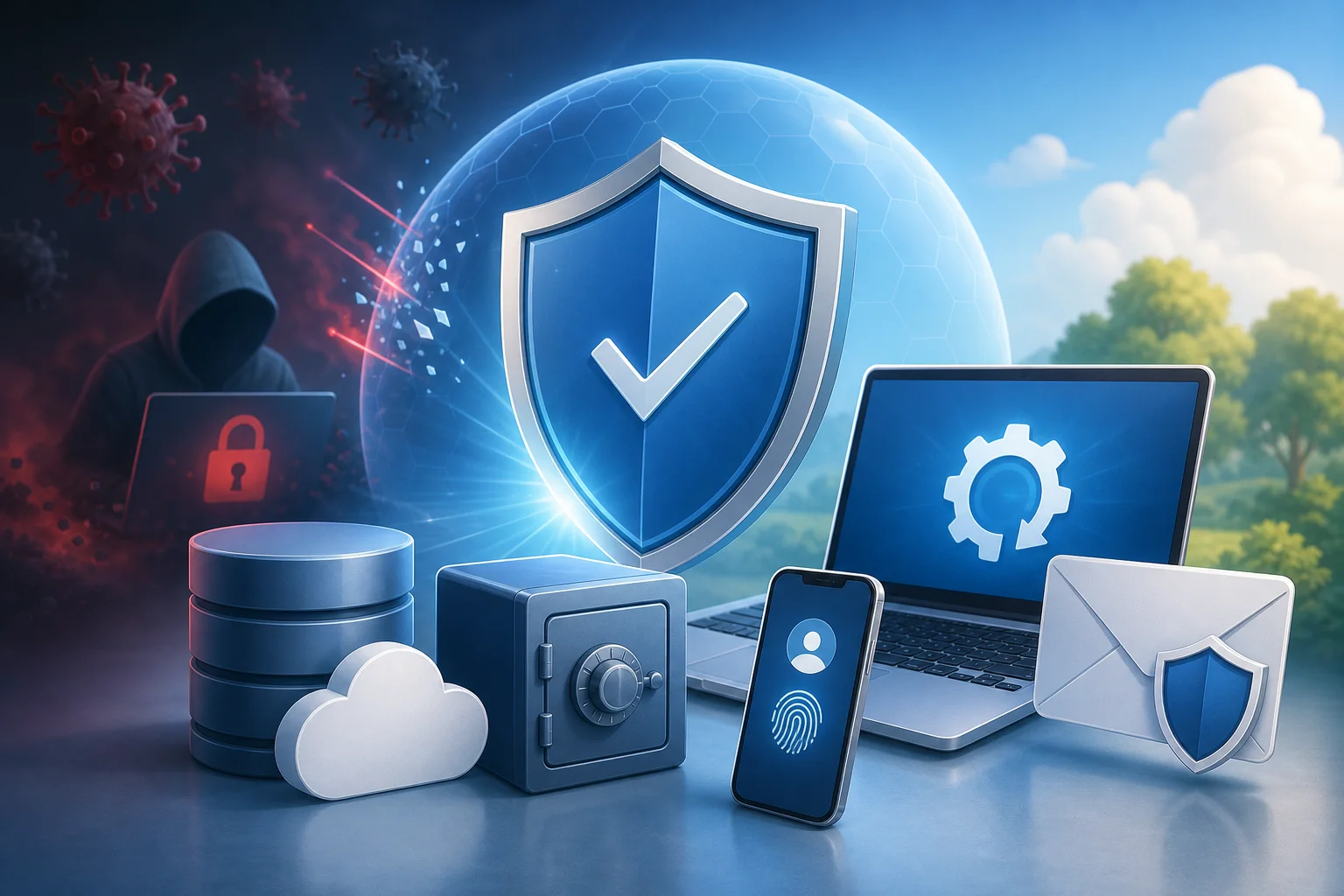
Step-by-step action plan in case of a ransomware infection
If an attack has already begun, the main thing is to act quickly and calmly. Below is a step-by-step plan that helps reduce damage and maintain chances for recovery.
- Isolate infected devices. Unplug the network cable, Wi-Fi, or port on the switch. Do not shut down the device unnecessarily if important evidence is in memory.
- Stop the spread. Temporarily limit access to network folders, disable suspicious accounts, block external connections, check VPN and RDP sessions.
- Notify responsible parties. Involve IT specialists, security services, management, and owners of critical systems. There should be a pre-established contact list in the company.
- Preserve evidence. Document the ransom note, file extensions, time of discovery, names of affected devices, event logs, and network activity.
- Do not pay the ransom without analysis. Payment does not guarantee recovery. First, assess backups, the scale of infection, and legal risks.
- Identify the entry point. Check email, remote access, login logs, new accounts, script executions, and administrator actions.
- Clean or reinstall systems. Simply deleting the malicious file may not be enough. For critical devices, a complete reinstallation from a trusted image is often safer.
- Recover data from clean copies. Before recovery, ensure that backups are not infected and that the attacker no longer has access.
- Check service operability. Test applications, databases, access rights, network routes, and error logs.
- Analyze the incident. After recovery, address the causes of the attack: passwords, MFA, updates, segmentation, backups, training.
This order can be adapted to the size of the organization. But the key logic remains unchanged: isolation, analysis, cleaning, recovery, and strengthening protection.
What not to do during a ransomware attack
Mistakes in the first few hours can increase damage. Therefore, it is important not only to know the right actions but also the dangerous ones.
You should not:
- delete the ransom note before documenting information;
- run random decryptors from unverified sources;
- connect external drives with backups to the infected machine;
- rename encrypted files without a copy;
- format servers before collecting important logs;
- pay the ransom out of panic;
- recover data in the infected environment;
- hide the incident from management, the IT service, or responsible individuals.
If no investigation experience exists, it is better to involve incident response specialists. This is especially crucial if personal data, medical information, financial systems, or critical infrastructure are affected.
Comparing protection methods against ransomware
No single measure provides complete assurance. However, their combination creates protective layers. The table below helps to prioritize.
| Protection Method | What It Prevents | Strength | Limitation |
|---|---|---|---|
| 3-2-1 Backups | Data loss | Allows recovery without a ransom | Requires testing and isolated storage |
| Updates and patches | Breach through known vulnerabilities | Closes mass attack vectors | Needs a regular process |
| MFA | Account takeover via password | Significantly complicates access for the attacker | Does not replace device control |
| EDR or modern antivirus | Launch of malicious processes | Provides detection and isolation | Requires configuration and monitoring |
| Network segmentation | Rapid spread | Limits the scale of an incident | Needs thoughtful architecture |
| Email filtering | Phishing and malicious attachments | Reduces the number of dangerous emails | Does not catch everything |
| Employee training | Social engineering | Reduces click risk | Requires repetition |
| Access control | Mass encryption of resources | Reduces damage from a single account | Needs administrative discipline |
For small businesses, the basic minimum includes backups, updates, MFA, antivirus, email protection, and access restrictions. For medium and large organizations, EDR, SIEM, segmentation, regular drills, and a formal response plan are added.
How to recover files after ransomware
Recovery depends on the type of attack, the quality of backups, and the state of the infrastructure. There is no universal button. However, there is a proven order.
Check for clean backups
First, determine the date and time the infection began. Then select copies made prior to that moment. Do not connect them to the infected network. It is best to use a separate isolated environment for verification.
Check:
- if documents open;
- if databases run;
- if the copies contain suspicious executable files;
- if archives are intact;
- if there is enough space and resources for recovery;
- which data will be lost between the last backup and the time of the attack.
Look for official decryptors
For some families of ransomware, there are free decryptors available. They are published by antivirus companies, research projects, and law enforcement initiatives. Only use verified sources. Do not download programs from random forums and comments.
Before running a decryptor, make a copy of the encrypted files. If the tool does not match your ransomware version, it may not help or worsen the situation.
Restore the system only after cleaning
You cannot simply return files to an infected server. First, you need to remove the malicious code, close the entry point, and change compromised passwords. Otherwise, encryption could restart.
A safe approach includes:
- Prepare clean systems or new virtual machines.
- Install updates and protective measures.
- Change passwords and access keys.
- Restore data from verified backups.
- Check logs and network activity.
- Gradually bring users back.

Should you pay the ransom?
In most cases, paying the ransom is not recommended. The reasons are simple: there is no guarantee that the criminals will provide a working key; data may have been stolen; access for the attackers may remain; payment finances future attacks.
However, in real life, organizations sometimes consider this option when there are no backups, critical processes are halted, and the safety of people or business survival is at stake. Such a decision should be made thoughtfully, involving management, lawyers, security specialists, and, if necessary, law enforcement.
Before any decision, evaluate:
- are there clean backups;
- are personal or commercial data involved;
- are there regulatory sanctions in effect;
- can part of the systems be restored manually;
- are there preserved evidences;
- is the entry point closed;
- what obligations exist towards clients and regulators.
Even if the ransom has been paid and decryption was successful, it is not the end of the incident. The cause must still be investigated, data leakage verified, and protections rebuilt.
Protecting the home computer from ransomware
A home user does not need corporate infrastructure, but basic rules are mandatory. They protect family photos, documents, study materials, and work files.
Recommendations include:
- enable automatic updates for the operating system;
- use built-in or reliable third-party antivirus;
- do not disable protection to run suspicious programs;
- store important files in the cloud with version history;
- make copies on an external drive and disconnect it after backup;
- do not open attachments from unknown senders;
- download programs only from official websites;
- use a password manager and unique passwords;
- enable MFA for email, cloud, and banking services.
If the home computer is already infected, disconnect it from the internet, do not connect drives with backups, and consult a specialist or use trusted instructions from well-known security vendors.
Protecting a company from ransomware
For an organization, ransomware is not just an IT problem. It poses risks of downtime, data breaches, loss of reputation, fines, and failure to meet obligations to clients. Therefore, protection must be integrated into risk management.
Create a response plan
The plan should answer practical questions:
- who makes decisions during an incident;
- whom to notify in the first 15 minutes;
- how to disconnect network segments;
- where to store admin and contractor contacts;
- who communicates with clients, partners, and the media;
- how evidence is documented;
- which systems are restored first;
- how the integrity of backups is verified.
A plan is only useful when it is practiced. Conduct tabletop drills. Analyze scenarios: a file server is infected, accounting is inaccessible, part of the staff received a phishing email with a malicious attachment. Such exercises identify weaknesses before a real attack occurs.
Implement network segmentation
If all devices see each other without restrictions, ransomware can quickly move from one computer to servers and network storage. Segmentation limits movement within the network.
Separate user workstations, servers, backups, administration systems, guest Wi-Fi, and critical services. Set up access rules based on necessity. Ideally, compromising one department should not provide access to the entire infrastructure.
Treat backups as a critical asset
Backups often become targets for attackers. They try to delete copies before encryption to intensify pressure. Therefore, the backup system should have separate accounts, MFA, logs, limited access, and protection against deletion.
Use immutable storage, offline copies, or a WORM approach if it fits your infrastructure. Also, store recovery documentation off the main network. If all instructions are on an encrypted file server, they will be unusable during a crisis.
FAQ: Frequently asked questions about ransomware
Is it possible to decrypt files without paying the ransom?
Sometimes yes. This is possible if a free decryptor exists for the specific ransomware family, if keys have been seized by law enforcement, or if there are clean backups. But for many modern attacks, decryption without the key is mathematically impossible. Therefore, backups remain the primary means of recovery.
Will regular antivirus help?
Antivirus helps, but does not provide complete protection. It can block known malicious files, suspicious behavior, or malicious links. However, the attack can use stolen passwords, legitimate administration tools, and new malware variants. Updates, MFA, backups, and access control are necessary.
What should you do if only some files are encrypted?
Immediately disconnect the device from the network. Then check if encryption is occurring on network folders. Notify an IT specialist, save the ransom note, and do not connect backups to this computer. If there are backups, restore files only after cleaning the system.
Is it dangerous to open the ransom note?
Usually, a text or HTML ransom note is less dangerous than an executable file by itself. But it is better not to click on links and not run attached programs. Take a picture or copy the content for analysis, then forward it to specialists.
Can ransomware infect cloud files?
Yes, if a cloud folder is synchronized with an infected device. In this case, encrypted versions may upload to the cloud. Version history, trash, account protection with MFA, and separate backups help. For businesses, access policies and monitoring changes in files are critical.
How can you tell when an attack has ended?
You cannot judge solely by the fact that files are no longer being encrypted. You need to check logs, active sessions, accounts, scheduled tasks, services, network connections, and remote administration tools. The end of the attack is confirmed by investigation, cleaning, closing the entry point, and monitoring after recovery.
Brief checklist for ransomware protection
Use this list as a basis for a quick self-assessment:
- there are at least two backups of important data;
- one copy is isolated from the main network;
- recovery from the backup has been practically tested;
- updates are installed regularly;
- MFA is enabled for email, VPN, cloud, and admin access;
- RDP is not open directly to the internet;
- employees do not work with admin rights unless necessary;
- email filters out dangerous attachments and links;
- users know how to report phishing;
- security logs are saved and reviewed;
- there is an incident response plan;
- responsible persons and recovery procedures are known.
If there are gaps in this list, start with backups and MFA. These two measures often provide the most significant practical effect for reasonable costs.
Conclusion
The fight against ransomware viruses is won not by heroic last-minute acts, but by preparation. Set up reliable backups, update systems, enable multi-factor authentication, limit privileges, and train users to recognize phishing. Then create a simple response plan and practice recovery. The sooner you close vulnerabilities, the higher the chance of stopping an attack without a ransom and quickly restoring data to operational status.